
-

- No Comments
- October 31, 2026

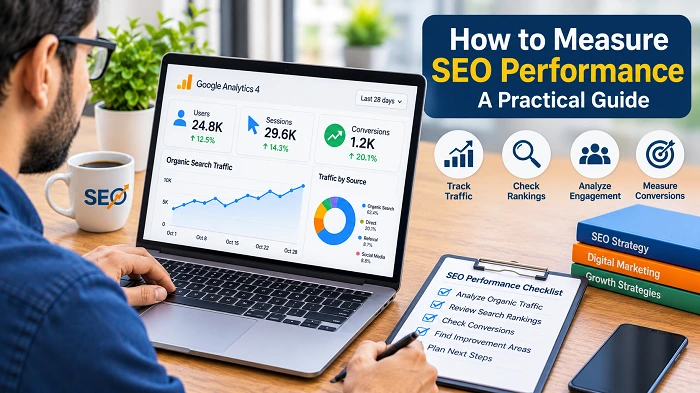
How to Measure SEO Performance: A Practical Guide for Small Businesses
SEO involves more than publishing content and optimizing website pages. Businesses also need to understand whether their efforts are attracting relevant visitors and supporting their goals.
Measuring SEO performance helps you identify what is working, which pages need improvement, and where to focus your resources. For small businesses, tracking a few meaningful metrics can provide useful insights without requiring complicated reporting systems.
This guide explains the key SEO metrics and tools you can use to monitor your website’s performance.
Track Organic Search Traffic
Organic search traffic includes visitors who find your website through unpaid search results.
Monitoring this traffic helps you understand whether your website is attracting visitors from search engines over time.
You can review organic traffic through tools such as Google Analytics 4 (GA4). Look at traffic trends across different periods rather than relying on a single day’s results.
Consider the following:
- Whether organic traffic is increasing or decreasing.
- Which pages attract the most search visitors.
- Which landing pages bring relevant audiences.
- Whether traffic changes follow important website updates.
An increase in traffic can be encouraging, but visitor relevance matters more than traffic volume alone. Businesses looking to improve their search performance can also review our guide on how to choose SEO services in Pakistan.
Monitor Search Impressions and Clicks
Google Search Console provides insights into your website’s visibility and performance in Google search results.
Two useful metrics are impressions and clicks:
- Impressions: The number of times a webpage appears in search results.
- Clicks: The number of times users click your website’s result.
Review these metrics to understand how often your pages appear in search results and how frequently users visit them.
For example, a page receiving impressions but relatively few clicks may benefit from a more relevant title or a clearer search snippet. Our on-page SEO checklist for small business websites covers important page elements that can help improve how your content is presented.
Compare performance over suitable periods to identify changes and opportunities for improvement.
Review Search Queries and Keywords
Search queries show the terms people use when your website appears in Google Search.
Use Google Search Console to identify the search terms generating impressions and clicks.
These insights can help you evaluate how well your content reaches your target audience.
Look for:
- Relevant queries generating impressions.
- Search terms bringing visitors to important pages.
- Topics with growing search visibility.
- Pages appearing for queries that match their purpose.
If a page receives impressions for relevant searches but attracts few clicks, review its title and content to see whether they accurately address the search intent.
Avoid changing content simply because a particular keyword has a lower position. Consider relevance, competition, and the purpose of the page before making adjustments. A well-planned content strategy for small businesses can help keep your website content focused on relevant topics and audience needs.
Check Keyword Ranking Trends
Keyword rankings indicate where a webpage appears in search results for a particular search query.
Tracking relevant keyword positions can help you understand changes in search visibility. However, rankings can vary based on location, search context, competition, and other factors.
Focus on important search terms related to your services, products, and audience.
You can use SEO tools to monitor keyword trends, but avoid treating individual ranking changes as the only measure of success.
A page that attracts relevant visitors and generates enquiries may provide more business value than one ranking for a broad keyword with little commercial relevance.
Measure Website Engagement
Website traffic is only one measure of performance. Understanding how visitors interact with your content is equally important.
Google Analytics 4 helps you monitor visitor engagement and analyze how people use your website.
Useful areas to review include:
- Engaged sessions.
- Average engagement time.
- Pages and screens viewed.
- Landing page performance.
- Important events and conversions.
For example, if visitors reach a service page but rarely explore other relevant pages, review the page’s content, navigation, and calls to action.
Interpret engagement metrics in context. Different pages serve different purposes, so a short visit is not necessarily a sign of poor performance.
Track Leads and Conversions
For small businesses, attracting visitors is important, but turning those visits into enquiries and customers is often the main objective.
A conversion occurs when a visitor completes an action that supports a business goal. Depending on your website, examples include:
- Submitting a contact form.
- Calling your business.
- Requesting a quotation.
- Completing an online purchase.
- Booking a consultation.
Set up appropriate conversion tracking in Google Analytics 4 or your chosen analytics platform.
Check which landing pages and traffic sources lead to conversions. This helps you determine whether your SEO efforts are bringing visitors who are likely to become customers.
Make sure your tracking is configured correctly before using conversion data to evaluate performance.
Review Important Website Pages
Not every page contributes equally to your business goals. Review key service pages, product pages, and informative articles regularly.
Use Google Search Console and analytics data to find pages that may need improvement.
For example:
- Pages losing organic clicks may need a closer review.
- Pages receiving impressions but few clicks may need clearer search titles.
- Pages attracting irrelevant traffic may need better topic alignment.
- Pages generating enquiries may offer useful insights for future content.
Prioritize improvements based on the page’s purpose and potential business value.
Avoid making unnecessary changes to pages that are already performing well and meeting visitor needs. You can refer to our on-page SEO checklist when reviewing page content and optimization elements.
Monitor Technical SEO Issues
Technical problems can affect how search engines access your website and how visitors experience it.
Use Google Search Console to review available indexing reports, page experience information, and other relevant technical data.
Pay attention to issues such as:
- Important pages that are not indexed.
- Broken internal links.
- Redirect errors.
- Mobile usability problems.
- Slow-loading pages.
- Incorrect canonical URLs.
Not every warning requires immediate action. Review each issue to understand its actual impact before making changes.
You can also use Google’s PageSpeed Insights to examine page performance and identify opportunities to improve loading speed and user experience. For a more detailed review, see our technical SEO checklist for small business websites.
Compare Results Over Time
SEO usually requires ongoing work, and meaningful changes may take time to appear.
Compare performance across suitable periods to identify longer-term trends. For example, reviewing the last three months against the previous three months may help you understand whether organic visibility is improving.
Consider seasonal changes, website updates, industry competition, and changes in search demand when interpreting results.
Keep a record of important SEO activities, such as publishing new articles, updating service pages, or resolving technical issues. This makes it easier to understand what changed during a particular period.
Avoid drawing conclusions from short-term fluctuations alone.
Prepare Simple SEO Reports
You do not need a complicated report to understand your website’s SEO performance.
A simple monthly report can summarize the metrics most relevant to your business.
Include information such as:
- Organic search traffic.
- Search impressions and clicks.
- Important search queries.
- Performance of key landing pages.
- Leads and conversions.
- Technical issues and completed improvements.
Explain what the numbers mean and identify the next steps.
For example, if a service page is receiving more search impressions but not generating additional enquiries, you may need to review its content, service information, and contact options.
A useful SEO report should support better decisions rather than simply present a collection of numbers.
Final Thoughts
Measuring SEO performance helps small businesses understand how their websites perform in search results and whether their optimization efforts support business goals.
Start with essential tools such as Google Search Console and Google Analytics 4. Monitor relevant traffic, search visibility, important pages, and customer enquiries.
Review your results regularly and make improvements based on reliable data. A consistent measurement process can help you use your SEO resources more effectively and make informed decisions as your business grows.