
-

- No Comments
- November 6, 2026

On-Page SEO for Small Businesses: A Practical Guide
When someone visits your website, they should be able to understand what each page offers and find the information they need. A well-organized page makes this easier for visitors and helps search engines understand its content.
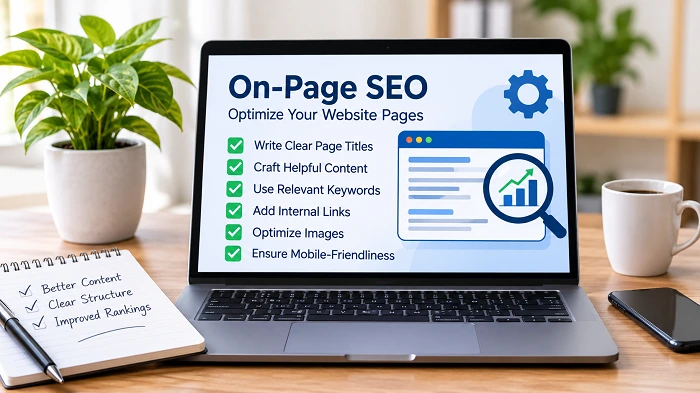
On-page SEO involves improving individual website pages through relevant content, descriptive titles, clear headings, internal links, and other elements. These improvements help make your pages more useful and accessible to both visitors and search engines.
What Is On-Page SEO?
On-page SEO refers to the improvements made directly to website pages to help search engines understand their content and provide a better experience for visitors.
It includes elements such as page titles, meta descriptions, headings, URLs, images, content, and internal links.
For example, a web design company can optimize its service page by writing a clear title, explaining its services, adding relevant headings, and linking to related resources.
These elements help visitors understand the page and find relevant information without unnecessary effort.
Write Clear and Descriptive Page Titles
A page title describes what visitors can expect from a page. It may also appear as the clickable heading in search results.
Write a unique title for each important page and make sure it accurately describes its content.
For example:
- Unclear: Services
- Better: Website Design Services for Small Businesses
Keep titles concise and place the main topic naturally within them. Use keywords naturally and give each page a unique, descriptive title.
A good title should help people understand what they can expect before visiting your website.
Create Useful Meta Descriptions
A meta description summarizes the information available on a page. Search engines may use it to generate the description displayed below a search result title.
Write a short, relevant description that explains what visitors can find on the page.
For example:
Page topic: Website Design Services
Meta description: Explore professional website design services for small businesses, including responsive layouts, user-friendly navigation, and custom website solutions.
Give each important page a unique description that accurately reflects its content. Avoid keyword stuffing and promotional claims that do not accurately reflect the content.
Remember that Google may generate a different search snippet depending on the user’s query.
Use a Clear Heading Structure
Headings divide content into sections and help readers find specific information.
Organize your content with an H1 for the main title and H2 headings for the key sections. H3 headings can introduce smaller topics within those sections when needed.
For example, a page about SEO services might use:
- H1: SEO Services for Small Businesses
- H2: Our SEO Services
- H2: How Our SEO Process Works
- H2: Benefits of Professional SEO
- H2: Frequently Asked Questions
Choose headings that describe the information in each section. Avoid adding keywords where they do not fit naturally.
A clear structure makes longer pages easier to read and navigate.
Create Helpful and Relevant Content
Your content should explain the subject clearly and address the questions visitors may have.
Before writing a page, consider its purpose and the information someone needs to make a decision or understand a topic.
For example, an SEO agency’s service page should explain the available services, the work involved, and how potential customers can get in touch.
A few useful practices include:
- Explain important information in straightforward language.
- Use examples where they help readers understand a subject.
- Cover relevant questions without unnecessary repetition.
- Keep information accurate and up to date.
- Include details that reflect your business’s actual experience and services.
Avoid writing pages simply to include more keywords. Focus on providing information that genuinely helps your audience.
Create Short and Descriptive URLs
Use descriptive URLs that help visitors understand what each page is about.
Use simple words that describe the page topic instead of random numbers or unnecessary characters.
For example:
- Less descriptive: example.com/page123
- Better: example.com/seo-services/
Use lowercase letters, separate words with hyphens, and avoid adding unnecessary terms.
Once a page has been published and indexed, avoid changing its URL without a good reason. If a change is necessary, set up an appropriate permanent redirect to the new address.
Add Relevant Internal Links
Internal links connect different pages on your website and help visitors explore related information.
For example, a service page about on-page SEO can link to a detailed on-page SEO checklist for small business websites so readers can review the practical steps involved.
When adding internal links:
- Link to pages that provide relevant information.
- Use descriptive anchor text.
- Add links naturally within your content where they provide useful information to readers.
- Check that linked pages are working correctly.
- Avoid adding links simply to increase their number.
Relevant internal links make it easier for visitors to find supporting information and help search engines discover other pages on your website.
Optimize Images for Your Pages
Images can make website content easier to understand and provide useful context for readers.
Choose images that support the subject of the page rather than adding visuals only for decoration.
Consider these practices:
- Use clear, high-quality images.
- Choose descriptive image filenames.
- Write descriptive alt text that accurately explains what each image shows.
- Compress images to reduce unnecessary file size.
- Use suitable image dimensions for your website layout.
For example, an article explaining website design can include an image showing a website layout or design workspace.
Write alt text to describe the actual image. Avoid filling it with repeated keywords.
Make Your Pages Mobile-Friendly
Many people visit websites using smartphones and tablets. Your pages should remain easy to use across different screen sizes.
Check that:
- Text is readable without zooming.
- Navigation menus work properly.
- Buttons and links are easy to tap.
- Images fit the screen without causing horizontal scrolling.
- Important information is not hidden or difficult to access.
Test important pages on different devices to identify layout problems.
A responsive design helps visitors access your content comfortably, regardless of the device they use.
Use Structured Data Where Appropriate
Structured data gives search engines additional context about your page content.
For example, suitable structured data may describe a business, an article, a product, or a breadcrumb navigation path.
Use the relevant schema type when it accurately represents the information available on your website.
Make sure the markup matches the visible page content and follows Google’s structured data guidelines.
Adding structured data does not guarantee enhanced search appearances, so use it to describe your content accurately rather than expecting a particular search result feature.
Review Page Performance and Technical Issues
A page should be accessible, functional, and easy to use.
Check important pages for issues that could affect visitors or search engines.
Pay attention to:
- Broken internal links.
- Missing or incorrect page information.
- Slow-loading images and other resources.
- Pages that cannot be accessed properly.
- Mobile layout problems.
- Incorrect canonical URLs or indexing settings.
Google Search Console can help you review indexing information and identify certain website issues.
You can also use PageSpeed Insights to evaluate page performance and identify possible improvements.
For additional guidance, refer to our technical SEO checklist for small business websites.
Common On-Page SEO Mistakes
Some common mistakes can make pages less useful or harder to understand.
Using duplicate page titles: Give each important page a title that accurately describes its subject.
Stuffing keywords into content: Repeating search terms unnecessarily makes writing less natural. Use relevant phrases where they fit.
Writing misleading meta descriptions: Make sure descriptions reflect the actual information available on each page.
Ignoring internal links: Connect related resources when they provide additional information to visitors.
Using irrelevant images: Choose visuals that support the subject rather than distract from it.
Creating pages without a clear purpose: Every important page should provide useful information or serve a specific business need.
Ignoring mobile usability: Check that visitors can read and navigate your pages on smaller screens.
How to Review Your On-Page SEO
Regular reviews help you identify areas that need improvement as your website grows.
Begin by reviewing your key service pages and blog articles. Check whether their titles, descriptions, headings, content, and links accurately represent their topics.
You can also use Google Search Console to review search queries, impressions, clicks, and indexing information.
When you identify an issue, make changes that improve the page for visitors. Avoid making unnecessary edits simply to change the publication date or add more keywords.
Conclusion
On-page SEO helps businesses make their website pages clearer, more useful, and easier for search engines to understand.
Start with descriptive titles, helpful content, clear headings, relevant internal links, and properly optimized images. Review mobile usability and technical issues to ensure visitors can access and navigate your pages easily.
Focus on improvements that serve your audience and accurately represent your business. A consistent approach can help build a more organized website and support your broader SEO strategy.